# 美国实体卡

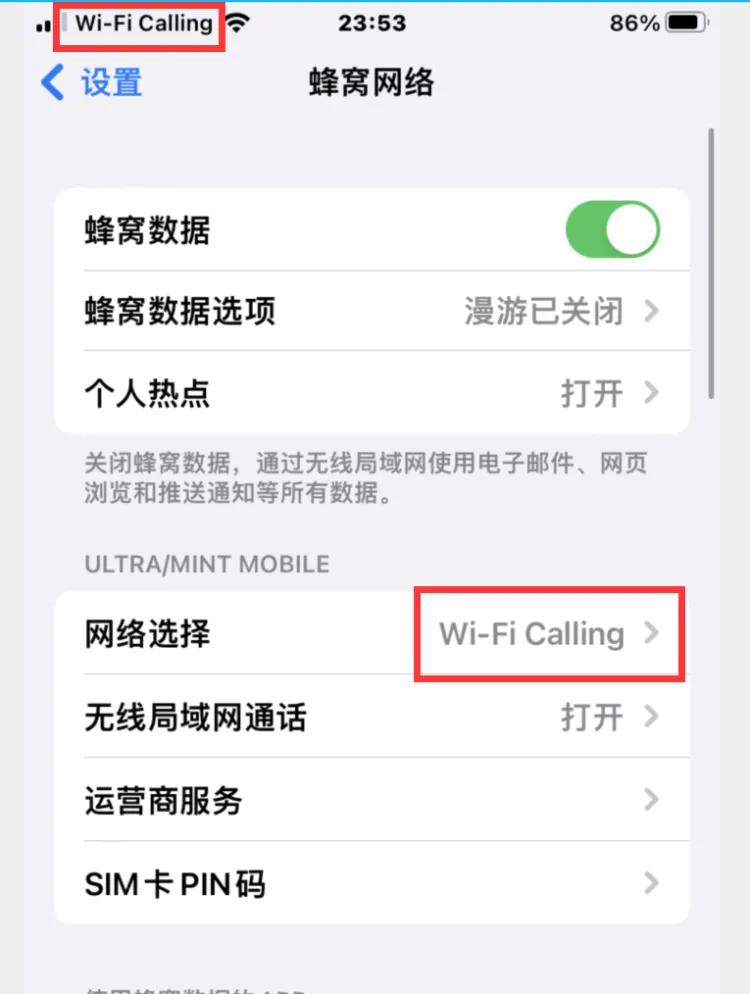
**苹果手机启用WiFi Calling功能的设置方法**

**此教程适用于已激活的Ultra运营商sim卡。**

**先自行准备一个美国真实地址，定制靓号实体卡客户可联系客服免费获取一个美国真实地址。**

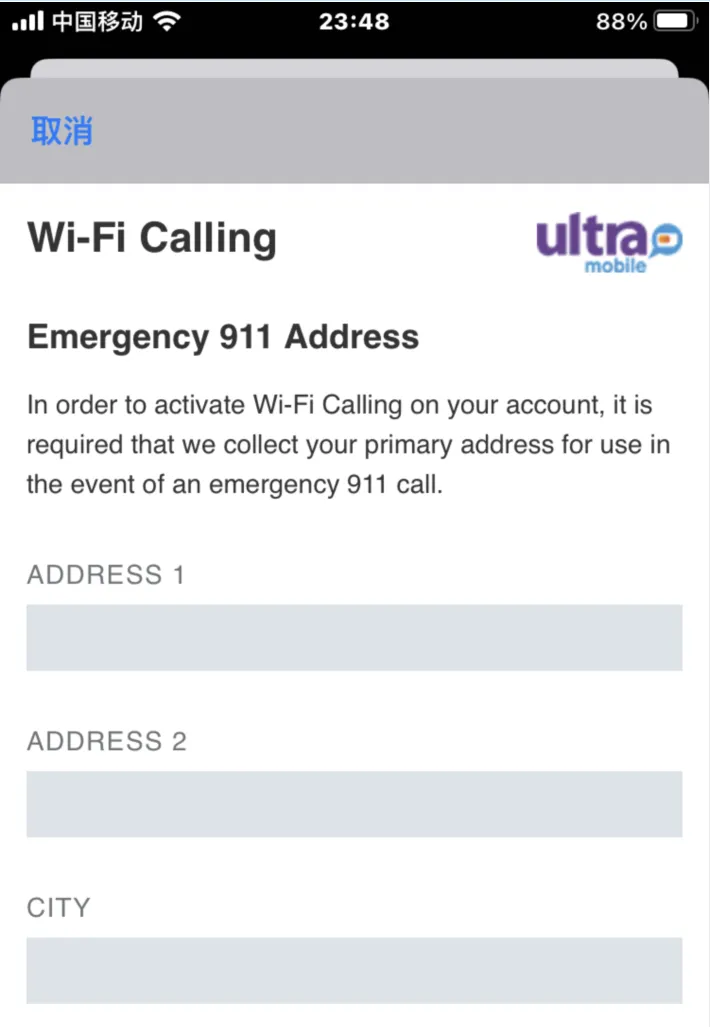
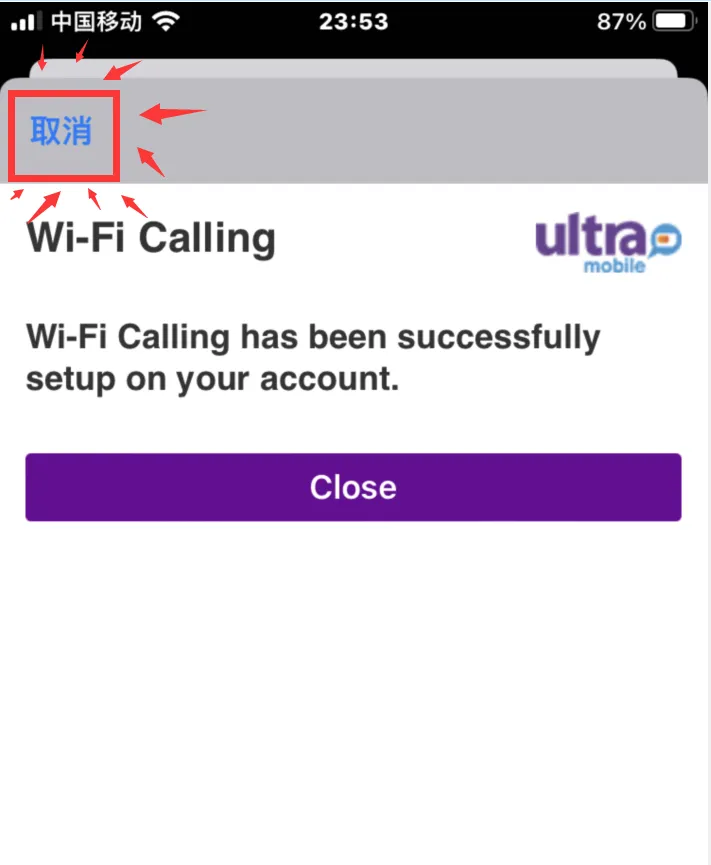
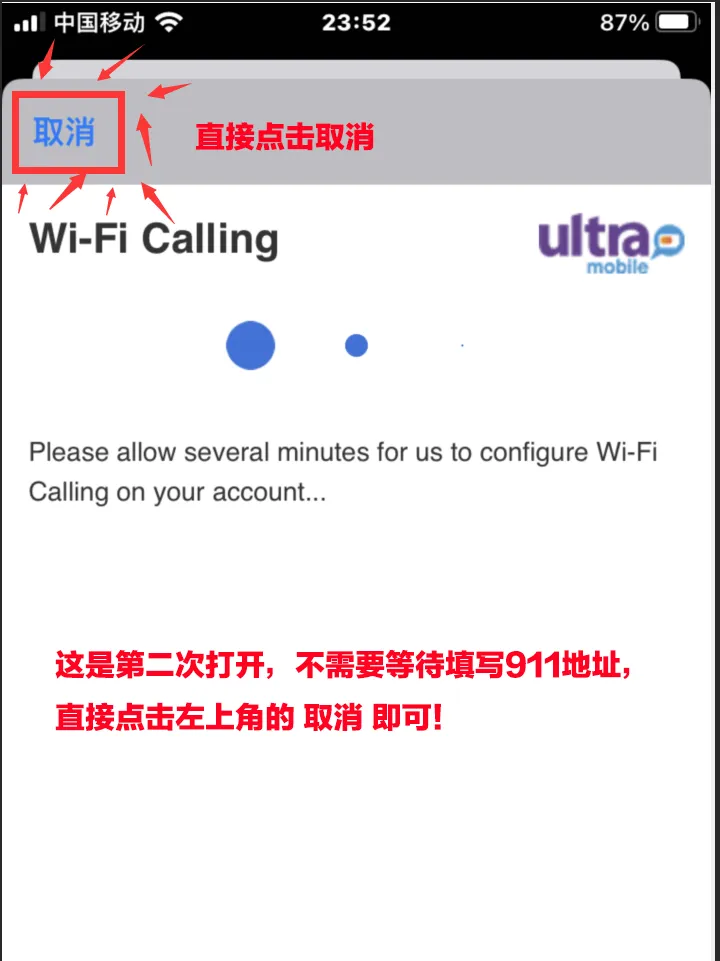
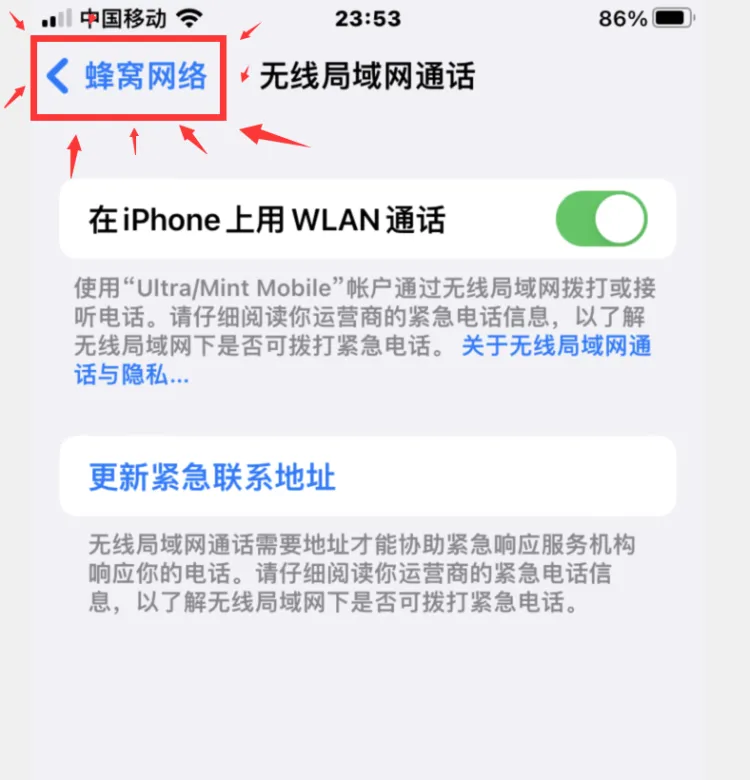
如果要使用WiFi calling免费短信和电话，设置911地址这一步必不可少。

如果不设置的话，充值余额付费使用也是可以的【标准资费，土豪随意】

教程正式开始：

现在把SIM卡插入苹果手机，连接WiFi，

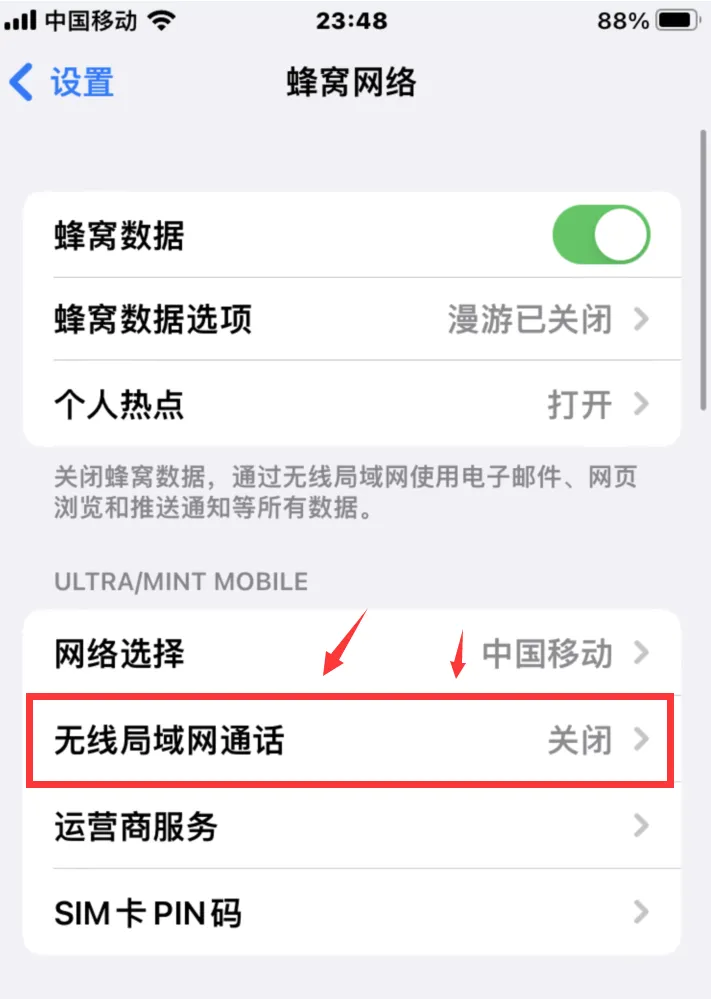
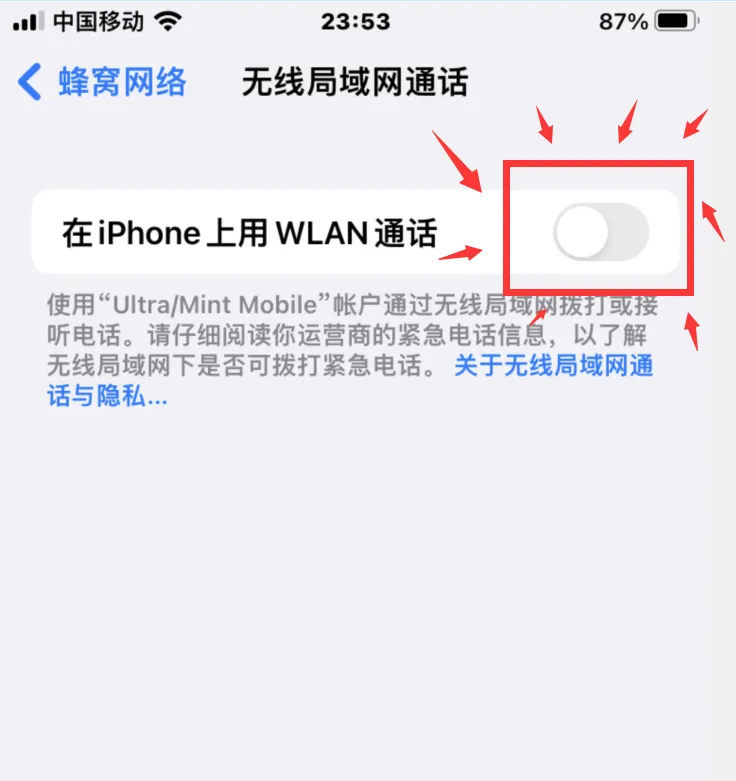
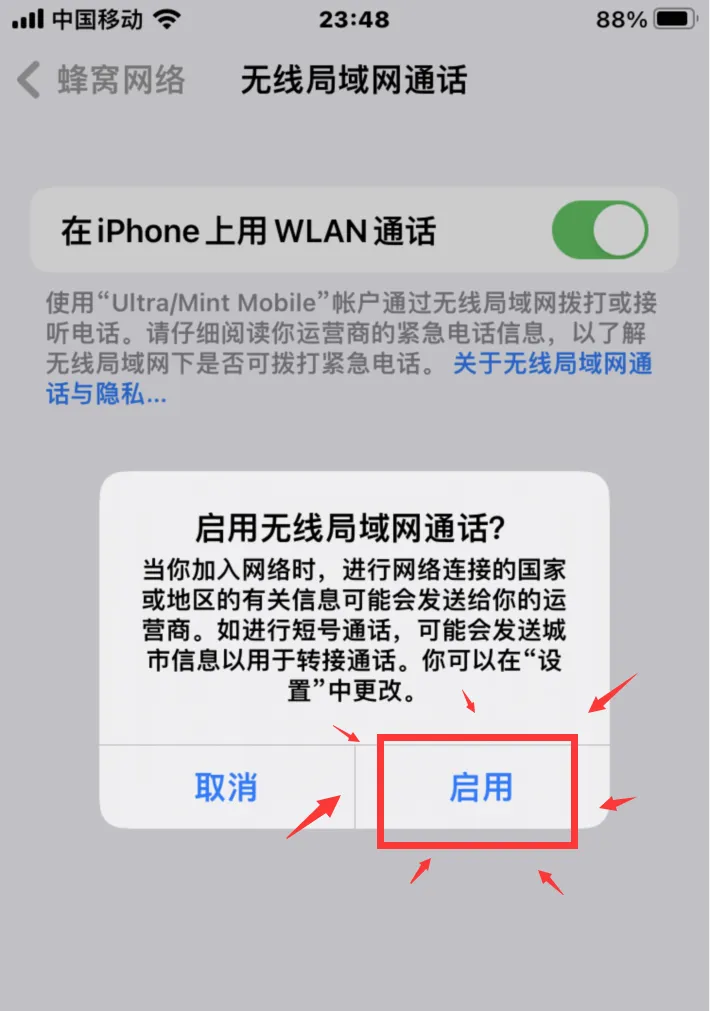
打开手机设置--蜂窝网络--无线局域网通话\ <br>

<img src="https://cdn.nlark.com/yuque/0/2024/png/42447116/1712039673257-710bfa26-dbd8-4be5-b502-85f5fd4b7b2e.png" alt="" width="334">

![](https://cdn.nlark.com/yuque/0/2024/png/42447116/1712039706537-8718cf9f-8aef-4aef-a815-74fd90266d76.png)\
\
![](https://cdn.nlark.com/yuque/0/2024/png/42447116/1712039738954-f6804070-fc44-4188-ac79-df0b69378cd4.png)

<img src="https://cdn.nlark.com/yuque/0/2024/png/42447116/1712039772580-4667b6e6-1dc4-4339-8658-7a905eaa5a3a.png" alt="" width="334">

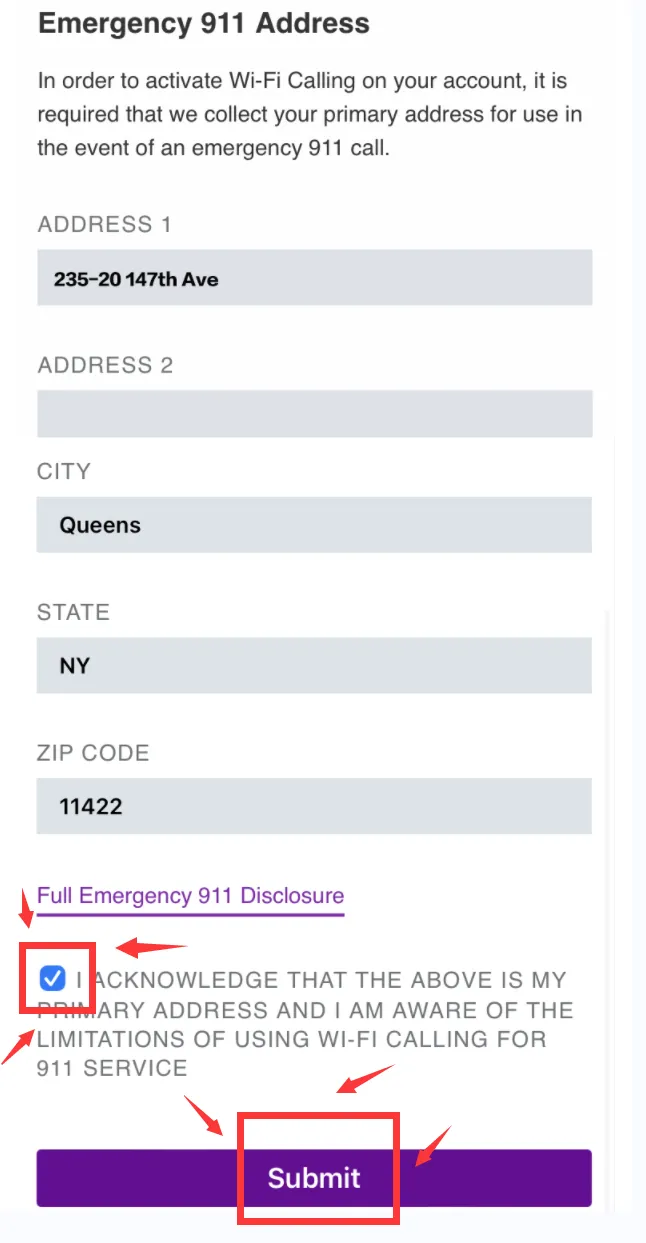
911地址格式-如何填写?

案例地址： 235-20 147th Ave, Queens, NY 11422
<img src="https://cdn.nlark.com/yuque/0/2024/png/42447116/1712039832262-5e183997-baf2-42f9-b58c-b4d93824de86.png" alt="" width="334">

<img src="https://cdn.nlark.com/yuque/0/2024/png/42447116/1712039874121-44dc2215-ff26-4702-84b5-adfd35ff10ad.png" alt="" width="334">

<img src="https://cdn.nlark.com/yuque/0/2024/png/42447116/1712039930447-3212c081-5b6d-44c0-99c0-8fed077f69b3.png" alt="" width="334">

<img src="https://cdn.nlark.com/yuque/0/2024/png/42447116/1712039959681-4ae332b1-778c-4201-a8c7-1b914b94bbdc.png" alt="" width="334">

<img src="https://cdn.nlark.com/yuque/0/2024/png/42447116/1712039986314-287dce15-c649-4f9e-97b5-d9498607a8f6.png" alt="" width="334">

<img src="https://cdn.nlark.com/yuque/0/2024/png/42447116/1712040012138-556b64c8-29c9-4fcb-a741-2e886ef0d634.png" alt="" width="334">

<img src="https://cdn.nlark.com/yuque/0/2024/png/42447116/1712040116043-0c3641b6-a91f-40d4-8eac-4219a282eeab.png" alt="" width="334">

<img src="https://cdn.nlark.com/yuque/0/2024/png/42447116/1712040129643-2fe335e4-96ce-49f4-ade3-16d1dcf11abf.png" alt="" width="334">


---

# Agent Instructions: Querying This Documentation

If you need additional information that is not directly available in this page, you can query the documentation dynamically by asking a question.

Perform an HTTP GET request on the current page URL with the `ask` query parameter:

```
GET https://doc.ecqq.cc/bank/sim.md?ask=<question>
```

The question should be specific, self-contained, and written in natural language.
The response will contain a direct answer to the question and relevant excerpts and sources from the documentation.

Use this mechanism when the answer is not explicitly present in the current page, you need clarification or additional context, or you want to retrieve related documentation sections.